
Download Print2Flash – Convert Documents to Flash, HTML, or SVG with Ease
Print2Flash is a powerful, Windows-based software tool that simplifies the process of converting printable documents into web-ready formats like Flash (SWF), HTML, and SVG. Designed for educators, marketers, and content creators, this virtual printer solution allows users to transform Word documents, Excel spreadsheets, PowerPoint presentations, and other printables into lightweight, interactive files that can be easily shared online. With its intuitive interface and wizard-guided workflow, Print2Flash eliminates the need for complex publishing tools or extensive technical knowledge.
Whether you're archiving reports, creating interactive e-books, or enhancing online presentations, Print2Flash streamlines the conversion process with minimal effort. The software preserves hyperlinks, bookmarks, and document layout, ensuring a professional-quality output every time. It’s a secure, reliable, and free-to-trial solution that supports batch processing and real-time preview, making it ideal for users who want to publish content without installing additional plugins or relying on cloud-based converters.
Download Print2Flash today and turn static files into dynamic, browser-friendly assets with just a few clicks.
Key Features of Print2Flash
Print2Flash stands out in the document conversion space thanks to its comprehensive feature set tailored for seamless publishing. One of its most powerful features is the virtual printer integration—users can simply “print” any document from any Windows application (like Microsoft Word, Excel, or PowerPoint) directly to Print2Flash, which then converts it into SWF, HTML, or SVG format. This eliminates the need for complex import processes or third-party plugins. The software supports a wide range of input formats, including DOC, DOCX, XLS, XLSX, PPT, PPTX, PDF, and more, ensuring compatibility with nearly every document type used in professional and educational environments.
Another standout feature is the preservation of document integrity. Print2Flash maintains hyperlinks, bookmarks, headers, footers, and even embedded fonts and images, ensuring that the final output looks exactly like the original. For content creators, this means no tedious reformatting after conversion. The tool also includes a real-time preview window, allowing users to check the output before finalizing the file—this is especially useful when preparing interactive presentations or e-learning modules.
Batch processing is another time-saving feature. Instead of converting files one by one, users can queue multiple documents for automatic conversion, which is perfect for large-scale projects like digitizing archives or preparing content for online courses. The software also offers customizable export settings, including image quality, compression level, and output size, giving users full control over file size and performance. With drag-and-drop support and a clean, minimalist interface, Print2Flash is accessible even to non-technical users. Whether you're a teacher sharing lesson plans or a marketer distributing product brochures, Print2Flash delivers professional results with minimal effort.
How to Install and Use Print2Flash
Installing Print2Flash is straightforward and requires no advanced technical skills. Begin by visiting the official website and downloading the latest version of the software. The installer is lightweight and typically under 50MB, making it fast to download even on slower connections. Once downloaded, run the setup file and follow the on-screen prompts. During installation, the software automatically sets up a virtual printer named “Print2Flash” in your Windows print queue, which appears alongside your physical printers.
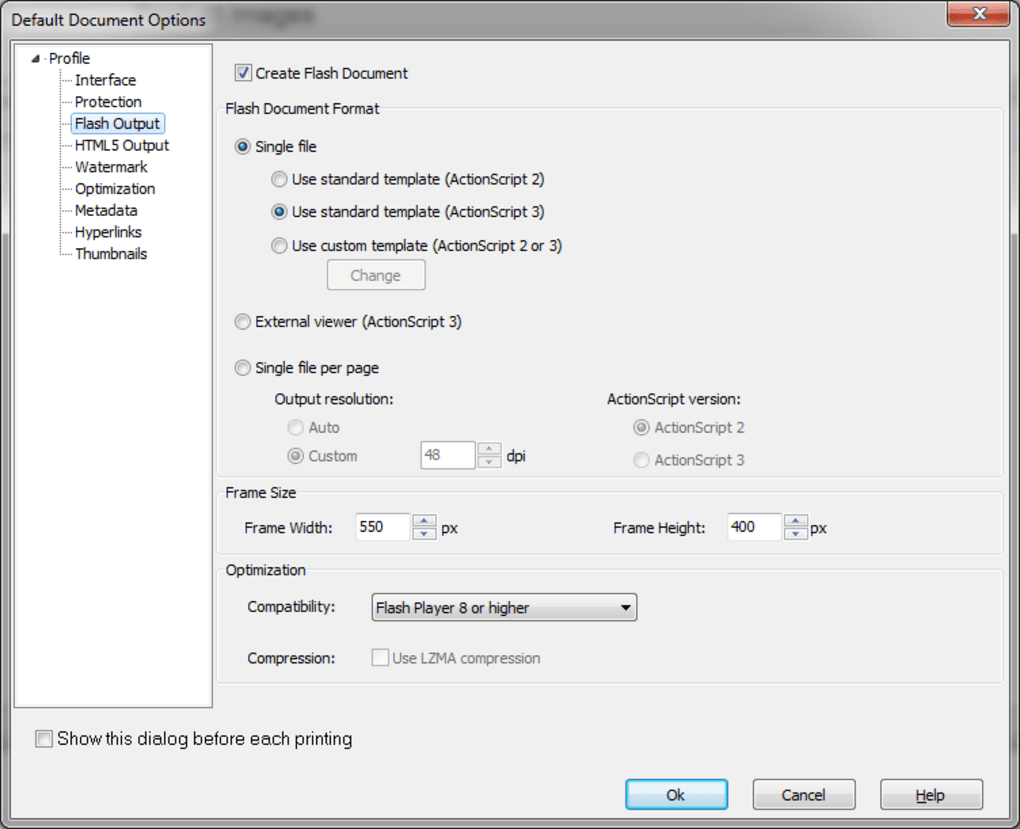
To use the tool, open any printable document—such as a Word file or PowerPoint presentation—and go to File > Print. From the list of printers, select “Print2Flash” instead of your usual printer. This will open the Print2Flash conversion window, where you can choose your desired output format: SWF (Flash), HTML, or SVG. You can also adjust settings like page layout, image quality, and whether to include bookmarks or hyperlinks. The real-time preview feature lets you see how the final output will look before generating the file.
After customizing your preferences, click “Convert” and choose a destination folder. The software processes the file quickly, even for large documents, and saves the converted version in your selected format. For users managing multiple files, the batch conversion option allows you to add several documents at once and convert them all in sequence. After conversion, you can embed the HTML or SWF files directly into websites, share them via email, or upload them to learning platforms. The entire process—from installation to output—is designed to be intuitive and efficient, making Print2Flash a go-to tool for anyone needing to publish documents online.
Compatibility and System Requirements
Print2Flash is designed exclusively for the Windows operating system, making it compatible with Windows 7, 8, 8.1, and Windows 10 (both 32-bit and 64-bit versions). It does not currently support Mac, Android, or iOS platforms, so users on non-Windows systems will need alternative solutions or virtualization tools to run it. However, for Windows users, the software runs smoothly on most modern hardware configurations, requiring only a standard CPU, 1GB of RAM, and 50MB of free disk space for installation.
The virtual printer integration works seamlessly with all major Windows applications, including Microsoft Office Suite (Word, Excel, PowerPoint), Adobe Acrobat, and many third-party publishing tools. It also supports printing from web browsers and PDF readers, expanding its utility beyond traditional office software. While the software is optimized for desktop use, its output formats—HTML, SWF, and SVG—are browser-compatible, meaning the converted files can be viewed on any device with a modern web browser, including tablets and smartphones.
For users concerned about security, Print2Flash does not require internet access to function, ensuring that sensitive documents remain private during conversion. All processing happens locally on your machine, which is ideal for businesses or institutions handling confidential data. The software is also regularly updated to fix bugs, improve performance, and enhance compatibility with new document formats. With its lightweight footprint and reliable performance, Print2Flash delivers a secure, efficient conversion experience tailored for Windows users.
Pros and Cons of Print2Flash
- Pros:
- Simple virtual printer integration—convert any printable file with just a print command.
- Supports multiple output formats: SWF, HTML, and SVG for flexible publishing.
- Preserves hyperlinks, bookmarks, and document formatting.
- Batch processing saves time when converting multiple files.
- Real-time preview ensures accurate output before saving.
- Lightweight, fast, and secure—no internet required.
- Free trial available with full functionality.
- Cons:
- Windows-only—no native support for Mac, iOS, or Android.
- Flash (SWF) format is becoming obsolete and may not be supported in future browsers.
- Limited customization options compared to advanced publishing tools.
- No built-in editing features—users must edit source files before conversion.
- Advanced features require a paid license.
Frequently Asked Questions (FAQ)
Can I use Print2Flash on Mac or Linux?
Currently, Print2Flash is only available for Windows. It does not support Mac, Linux, Android, or iOS. Users on non-Windows systems can run it via virtual machines or dual-boot setups, but native support is not available.
Is Print2Flash free to download?
Yes, Print2Flash offers a free trial version that allows full access to all features. The trial is typically time-limited (e.g., 30 days), after which a license key is required for continued use. Pricing for the full version is available on the official website.
Can I convert PDFs to HTML or SWF using Print2Flash?
Absolutely. Print2Flash supports direct conversion of PDF files into SWF, HTML, or SVG formats. You can print the PDF from any viewer (like Adobe Acrobat) to the Print2Flash virtual printer and convert it with full formatting preservation.
Does Print2Flash preserve hyperlinks and bookmarks?
Yes, one of Print2Flash’s key strengths is its ability to retain hyperlinks, bookmarks, and navigation elements from the original document. This ensures that interactive content remains functional in the converted output.
What should I do if my converted file doesn’t display correctly?
First, check the preview before saving. If the issue persists, try adjusting the output settings—such as image quality or layout. For SWF files, ensure your browser supports Flash (though this is increasingly rare). For better long-term compatibility, consider using HTML or SVG output formats instead.
Final Thoughts: Is Print2Flash Worth It?
Print2Flash is a reliable, user-friendly tool for converting printable documents into web-compatible formats like Flash, HTML, and SVG. Its virtual printer model makes it incredibly easy to use—just print your file, select the output format, and let the software do the rest. While the focus on Flash may be a drawback in today’s browser landscape, the HTML and SVG outputs remain highly valuable for creating interactive, embeddable content. The software excels in preserving document structure, supporting batch processing, and offering a secure, offline workflow.
For educators preparing online lessons, marketers creating digital brochures, or businesses archiving reports, Print2Flash delivers tangible value. The free trial allows you to test its capabilities risk-free. If you’re a Windows user looking for a simple, efficient way to publish documents online, Print2Flash is a solid choice. Download it today and transform your static files into dynamic, shareable content with ease.
CTA: Download Print2Flash Now – Convert Documents to Flash, HTML, or SVG for Free







